
You need a router with a WAN Port to connect to to the internet. We recommend the following:
TP-Link Archer C20 or TP-Link Archer C50
!The former recommended TP-Link TL-WR841N N300 WLAN has been subject to Russian hacking attacks and we strictly recommend not to get it and if you were already using it to replace it!
The pdf will get updated soon with new pictures
(Routers from ISP don’t work in our network)
In order to login, you need ZDV account. If you are a student from the JGU you already have an account (your Jogustine account). If you are from the Hochschule Mainz: University of Applied Sciences, Studierendenwerk will email you your account details. Note: Those wh0xxx credentials do expire after one semester, so you will need to contact Studierendenwerk again. Net-AG can’t help you with that.
You can find more details here:
The firewall settings in your router must be changed.
- Access the router’s interface by typing 192.168.0.1 in the browser and then login with user: admin and pass:admin
- Click on menupoint “Security”
- Then click on “Advanced Security” in the submenu
- Uncheck “Forbid Ping Packet From WAN Port”
- Click on “Save”
Other routers may also have “Enable Ping From WAN Port”. In this case, place a tick in the field and click on “Save”.
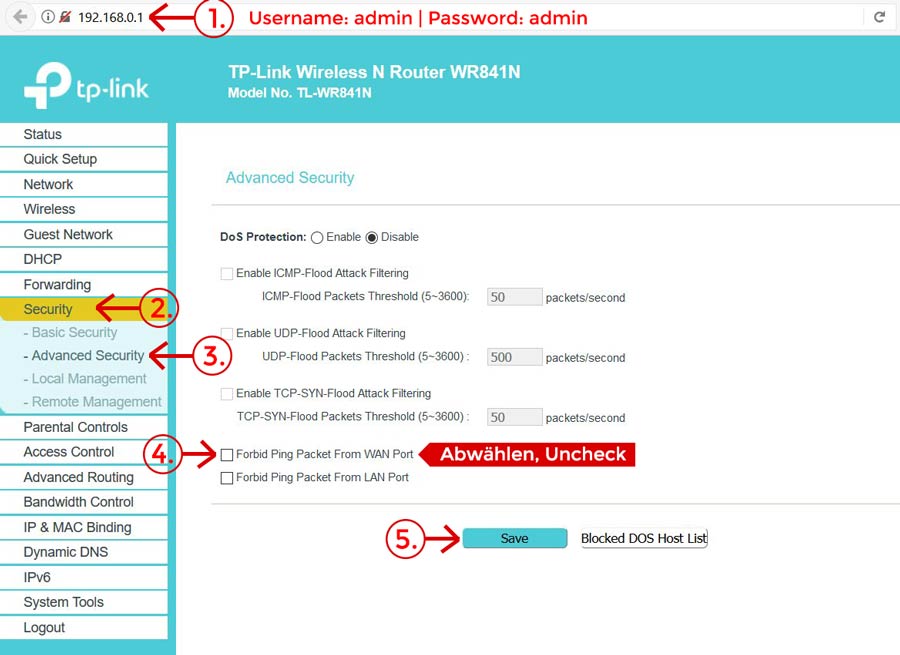
- Access the router’s interface by typing 192.168.0.1 in the browser and then login with user: admin and pass:admin
- Click on “Status”
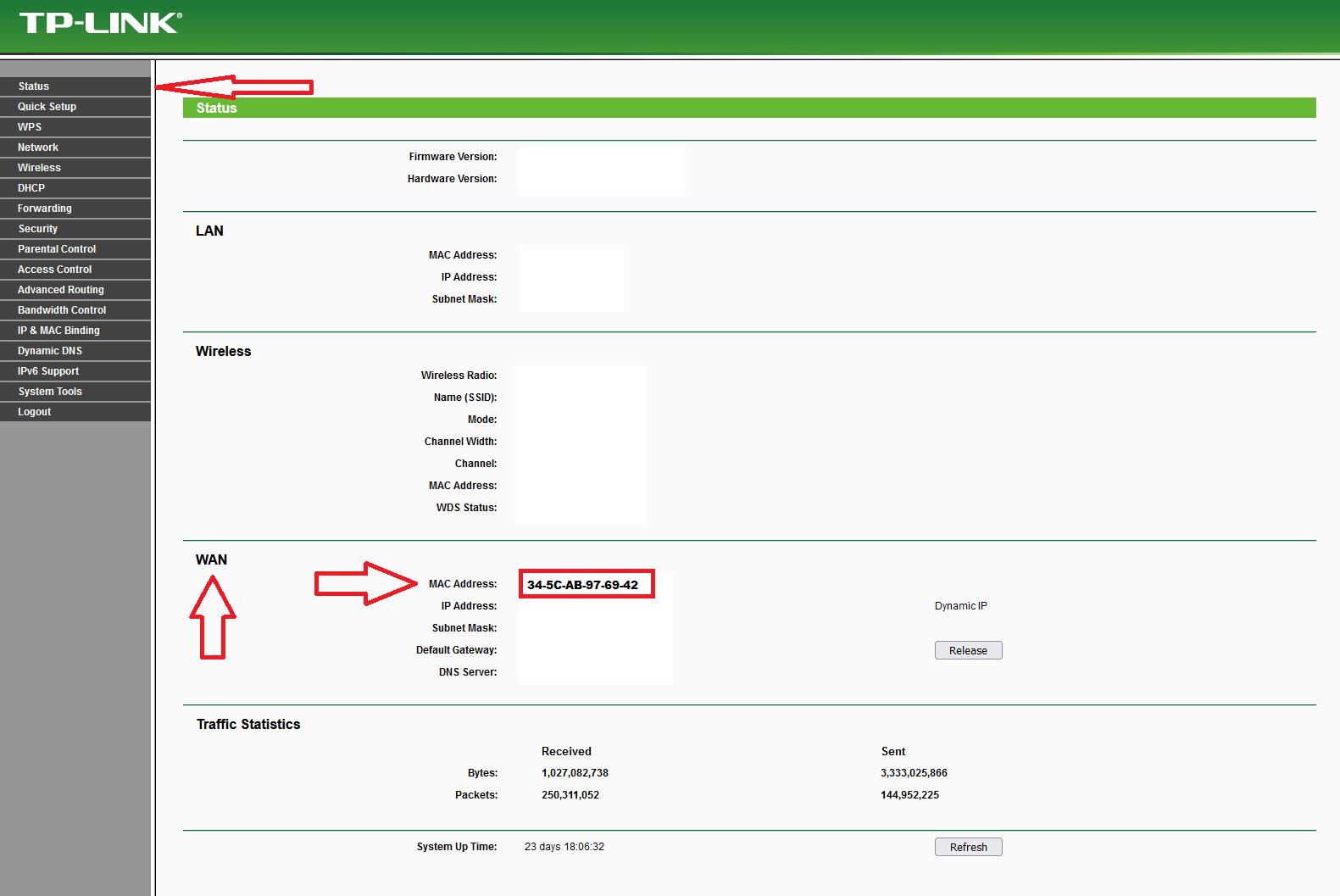
First, you must register the MAC-Address from your PC over the Website or during our office hours.
You can directly connect the PC with a LAN Cabel but you need to change your firewall settings so you don´t lose your Connection every 2 minutes
Die Seite befindet sich noch im Aufbau. Ihr wollt uns helfen? Kommt in die Net-AG!